An event production timer built for crews
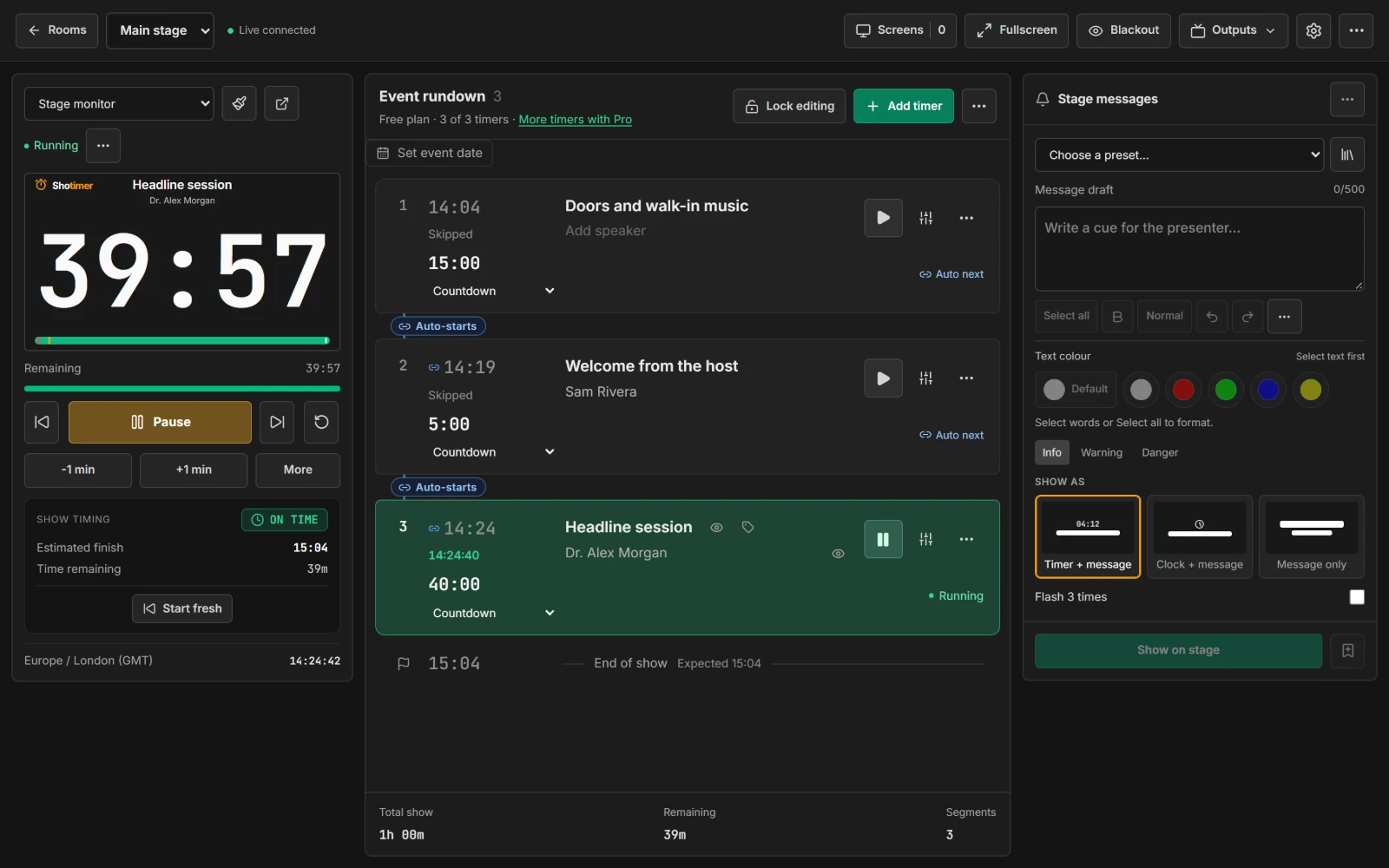
Run the timing for every room from one account. Operators, moderators and stage screens each get their own link, only one device controls a room at a time, and the show timing tells you straight away if you're running long.
Free plan: 3 rooms, 3 timers and 3 screens per room. No card needed.
One account, every room
Give each stage, breakout room or studio its own room in Shotimer, with its own running order, screens and links. Switch between them from the dashboard without stopping a running timer.
- Live status: the dashboard shows which rooms are running and how many screens each one has.
- Live Connections: see every connected screen across your rooms, and remove any you don't recognise.
- Show timing: each room tracks whether it's running over or under, and when it will really finish.
The right link for every person
Every link opens one view and only does what it's for, so a stage screen can never be used to control the show.
- Operators run the timers. Moderators can only send stage messages and see speaker notes.
- Agenda links show a read-only running order, without notes or backstage messages.
- Replace links at any time: old links and QR codes stop working at once.
Fast, safe control during the show
Shotimer is built so a show can't be thrown by a stray click, a second operator or a dropped connection.
- One controller at a time: a second device opens view-only and takes over with one confirmation. If the controller drops out, another takes over after 8 seconds.
- Keyboard control: Space, R, the arrow keys and B for blackout.
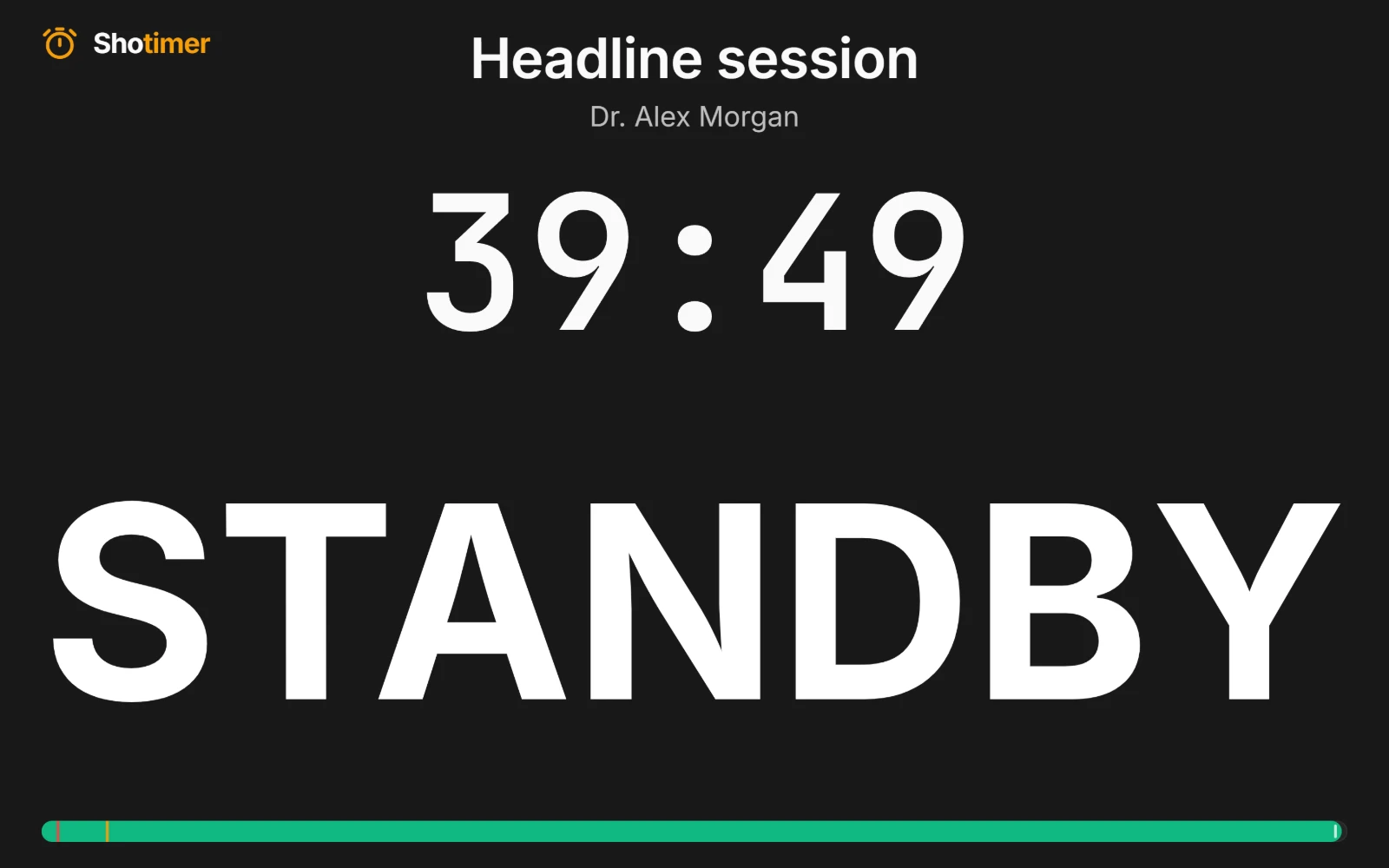
- Cues on stage: send STANDBY, 5 MIN LEFT or your own messages, or show a message on its own.
- Keeps going: if a screen loses its connection, it keeps counting from its last update.
Ready in three steps.
Set up your running order
Create a free account, open a room and give each timer a title, a speaker and a duration.
Put the timer on a screen
Open the stage screen in a new tab, or scan its QR code on a TV, tablet or phone. Nothing to install.
Press Start
Every screen counts down together. Add a minute, send a message or move to the next timer from your laptop or phone.
Frequently asked questions.
Learn more in the docs
More ways to use Shotimer
Try Shotimer at your next event.
Create a free account and put a timer on your own screens in a few minutes.
Create a free account