A theatre timer for curtain up, intervals and backstage calls
Count down to curtain up and the end of the interval on screens in the wings, the green room and front of house. Send silent calls to the cast, and keep the whole performance on time from the prompt desk.
Free plan: 3 rooms, 3 timers and 3 screens per room. No card needed.
Count down to curtain up and the end of the interval
Put the countdown on screens in the wings, the green room and front of house, so the cast and crew all work to the same clock.
- Finish on time: enter the time a countdown should end, such as 19:30, and Shotimer works out the duration.
- Interval countdown: start the interval timer as the house lights come up.
- Starts by itself: give a timer a start time while the Controller is open.
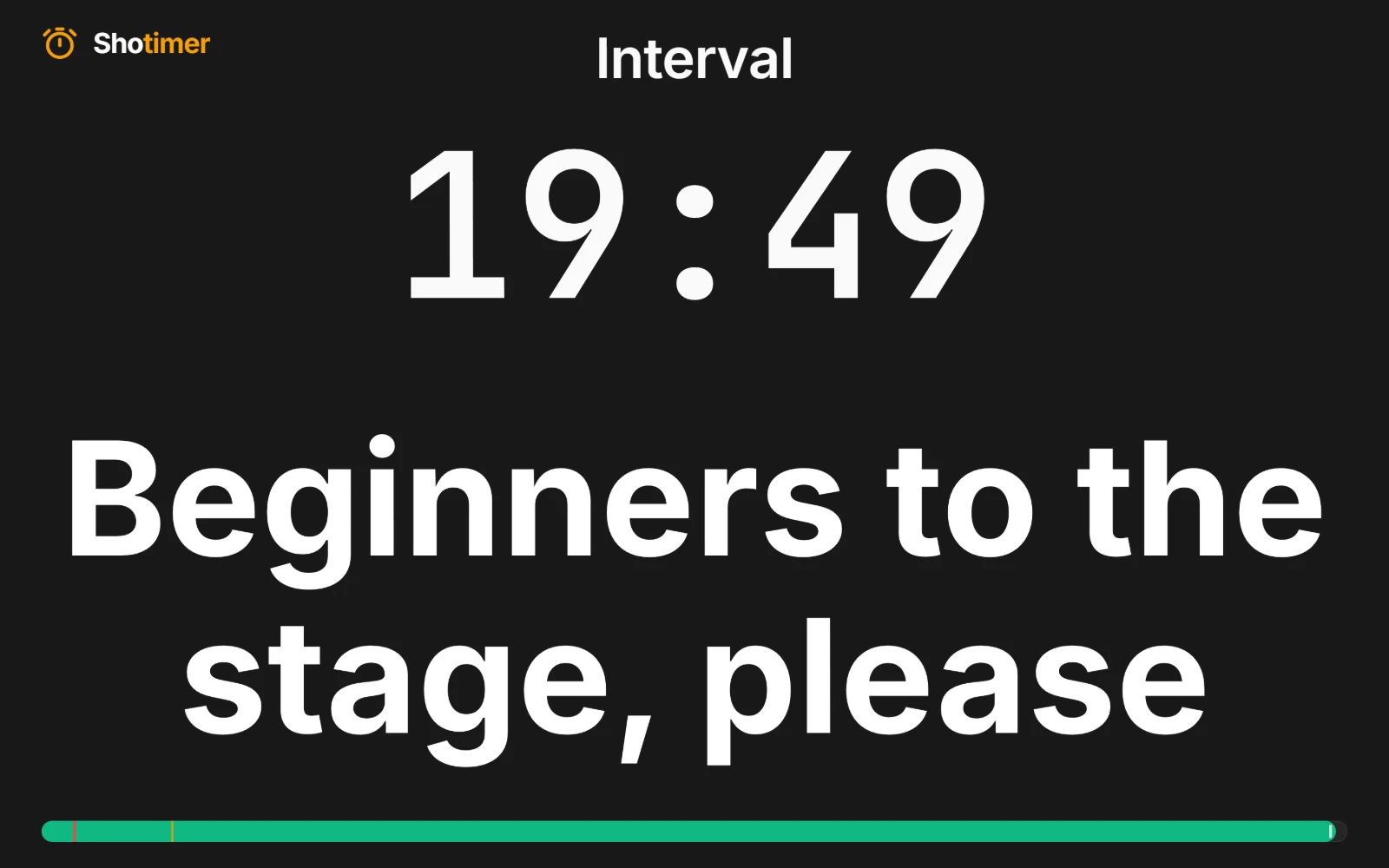
Silent calls to the green room
Send calls to every backstage screen at once, without a word over the show relay.
- Your own calls: such as “Beginners to the stage, please”, saved so you can send them again each night.
- Message on its own: show the call without the timer, as large as possible.
- Flash to get attention: a message can flash three times when it appears, then stay steady.
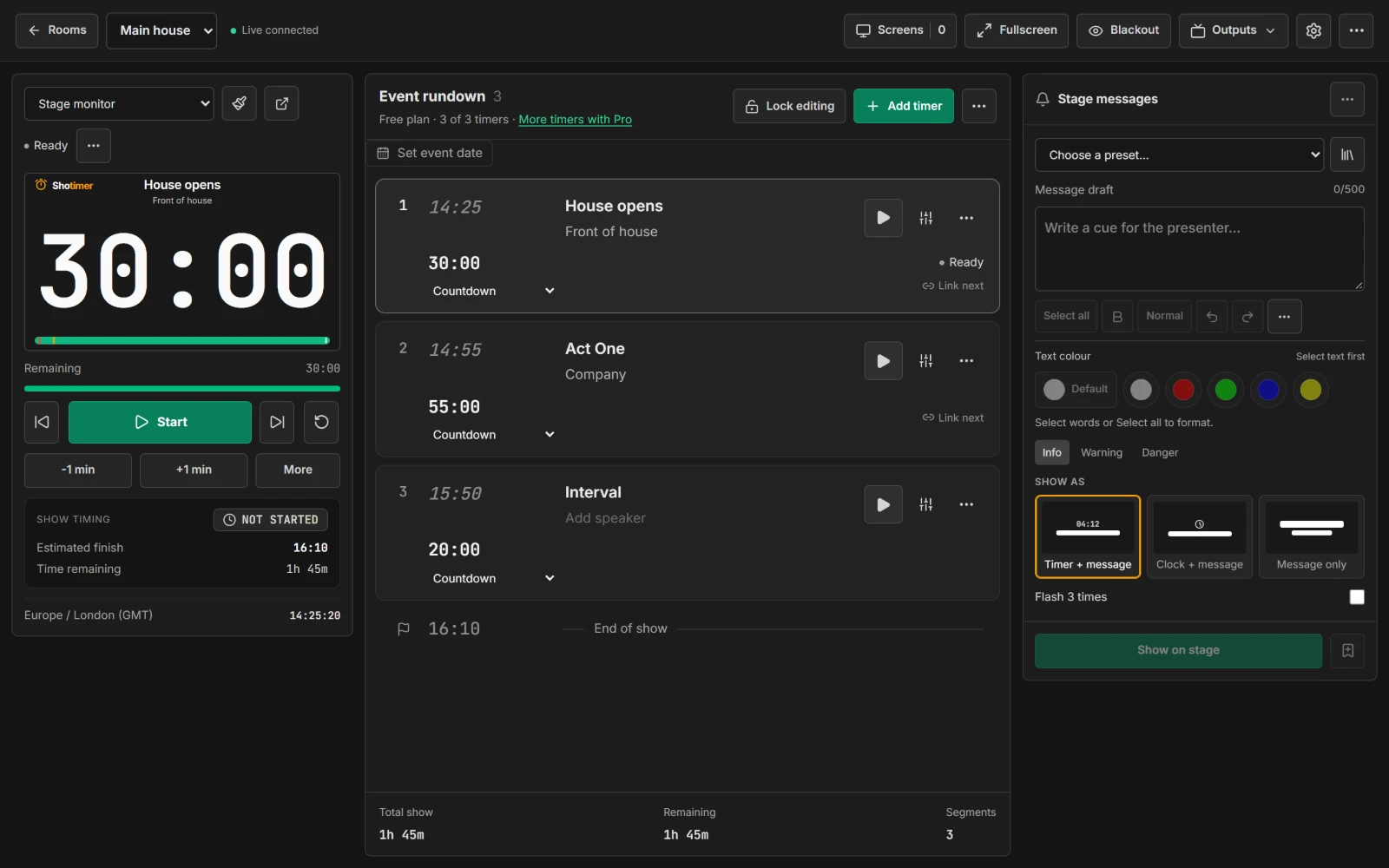
Run from the prompt desk, or a phone in the wings
The stage manager can run the timer from a laptop at the desk, a tablet or a phone.
- Blackout: turn every screen black in one press, for when the screens must not be seen.
- Lock editing: stop the running order being changed by accident during the show.
- Front of house: an Agenda link shows the running order with expected times.
Ready in three steps.
Set up your running order
Create a free account, open a room and give each timer a title, a speaker and a duration.
Put the timer on a screen
Open the stage screen in a new tab, or scan its QR code on a TV, tablet or phone. Nothing to install.
Press Start
Every screen counts down together. Add a minute, send a message or move to the next timer from your laptop or phone.
Frequently asked questions.
Learn more in the docs
More ways to use Shotimer
Try Shotimer at your next show.
Create a free account and put a timer on your own screens in a few minutes.
Create a free account