A speech timer for awards nights, galas and weddings
Keep acceptance speeches, toasts and wedding speeches to time. The speaker sees a discreet countdown, and you can send a wrap-up message from your phone without anyone in the room noticing.
Free plan: 3 rooms, 3 timers and 3 screens per room. No card needed.
A discreet countdown for every speaker
Put the timer on a tablet on the lectern, a phone, or a screen facing the stage. Only the speaker needs to see it.
- One timer per speech: each award, toast or speech gets its own time.
- Warning colours: yellow and then red as time runs out.
- Stop or carry on: hold at 00:00, or show how far over a speech went.
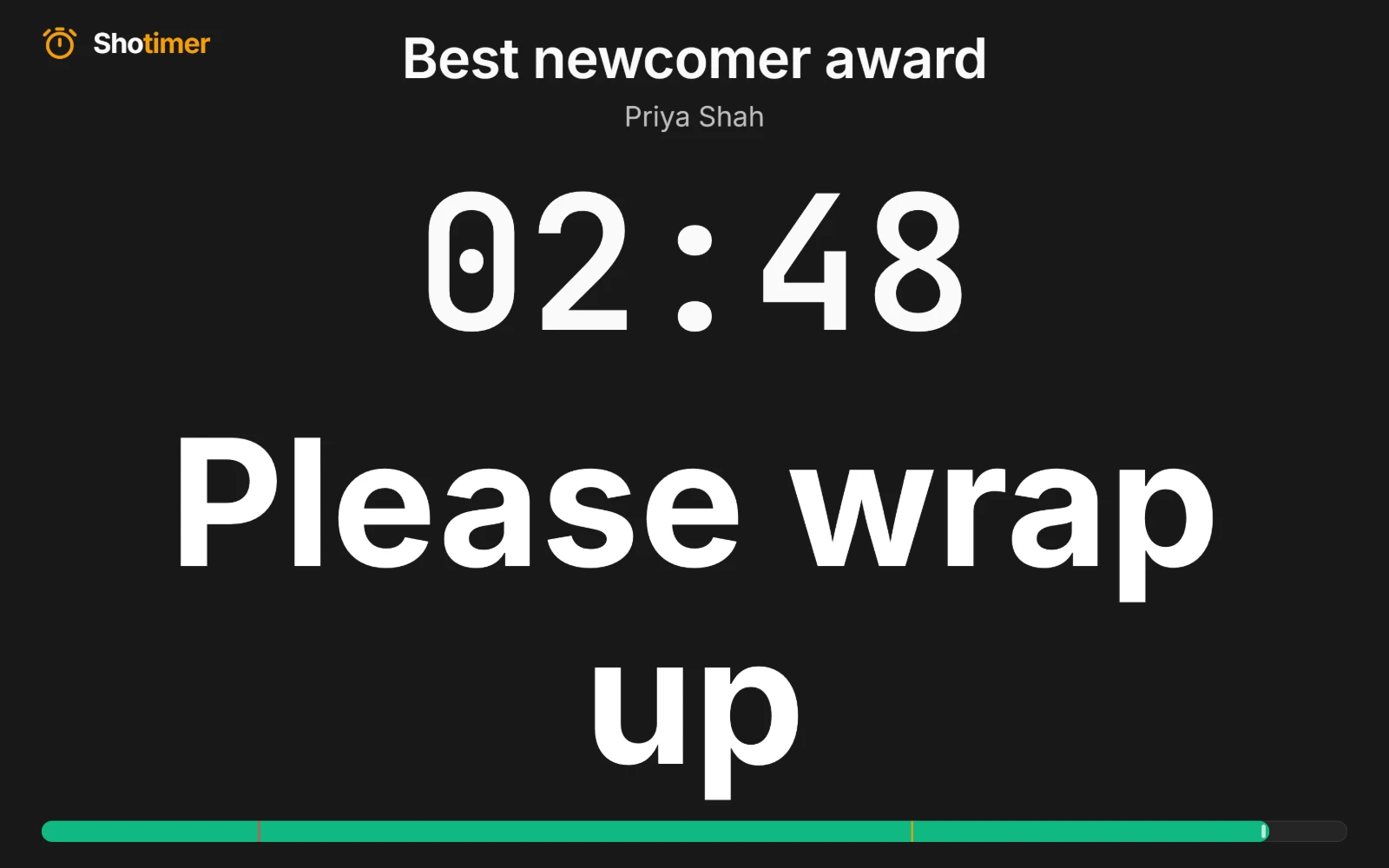
A wrap-up message nobody else notices
When a speech runs long, send “Please wrap up” to the speaker's screen. The evening carries on, and only the speaker sees it.
- Flash three times: so the message isn't missed, then it stays steady.
- Message only: replace the timer with the message, as large as possible.
- Saved messages: keep your favourites ready to send in two clicks.
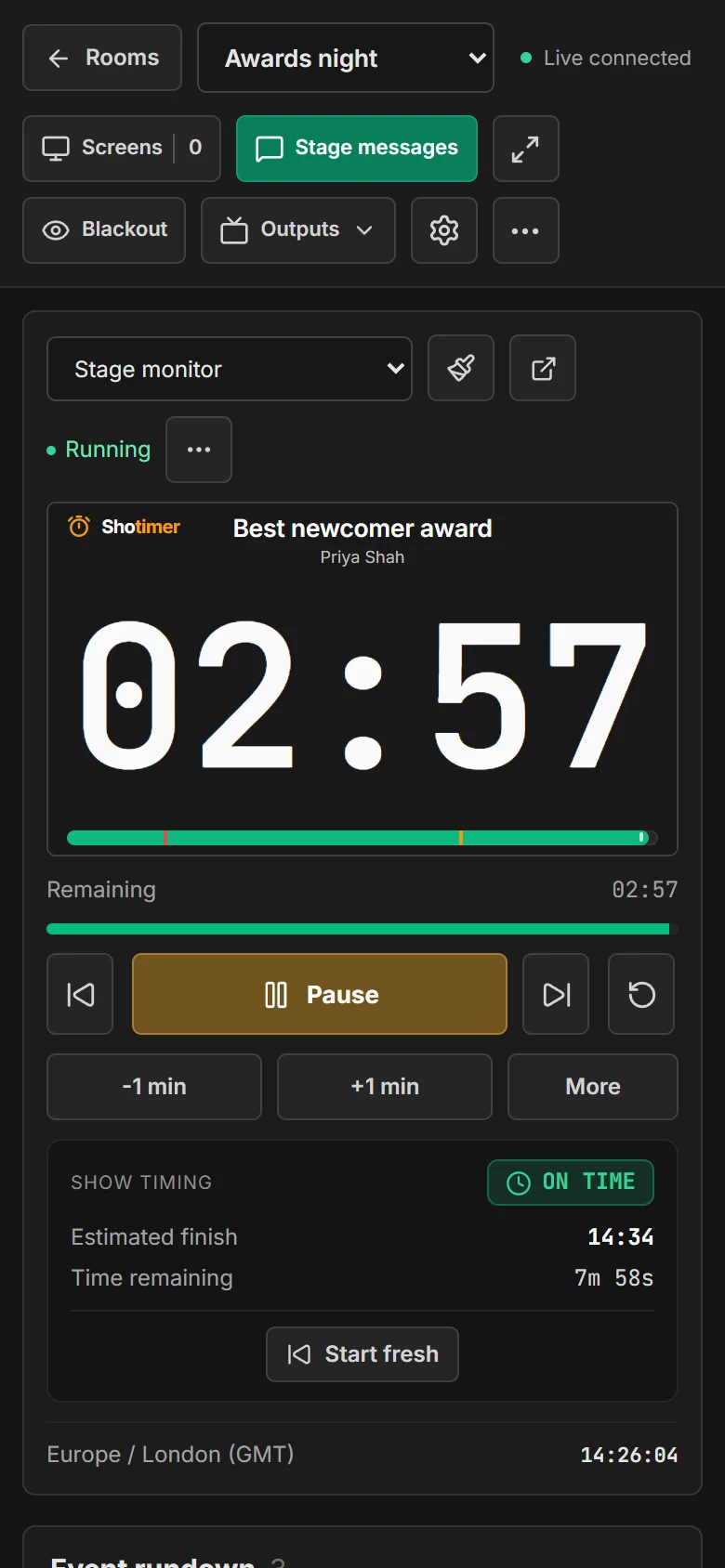
Run it from your phone
Whether you're the host, the planner or the best man, you can keep time from your phone without leaving your seat.
- One scrolling page: Start, Pause, add a minute and send messages from a phone.
- A link for a helper: send someone the Controller link so they can keep time instead.
- Nothing to install: it all runs in a web browser.
Ready in three steps.
Set up your running order
Create a free account, open a room and give each timer a title, a speaker and a duration.
Put the timer on a screen
Open the stage screen in a new tab, or scan its QR code on a TV, tablet or phone. Nothing to install.
Press Start
Every screen counts down together. Add a minute, send a message or move to the next timer from your laptop or phone.
Frequently asked questions.
Learn more in the docs
More ways to use Shotimer
Try Shotimer at your next event.
Create a free account and put a timer on your own screens in a few minutes.
Create a free account