A podcast and studio timer for segments and hard outs
Time each segment, hit your hard outs and see how long a recording has been running, on a screen everyone in the studio can read. Cue hosts silently from the control room.
Free plan: 3 rooms, 3 timers and 3 screens per room. No card needed.
Every segment on time
Build the running order as segments, each with its own countdown. Hosts see the time left on a screen in the studio.
- Hard outs: enter the time a segment must end, and Shotimer works out the duration.
- Linked segments: the next one starts as soon as one ends.
- Count up: see exactly how long a recording or an interview has run.
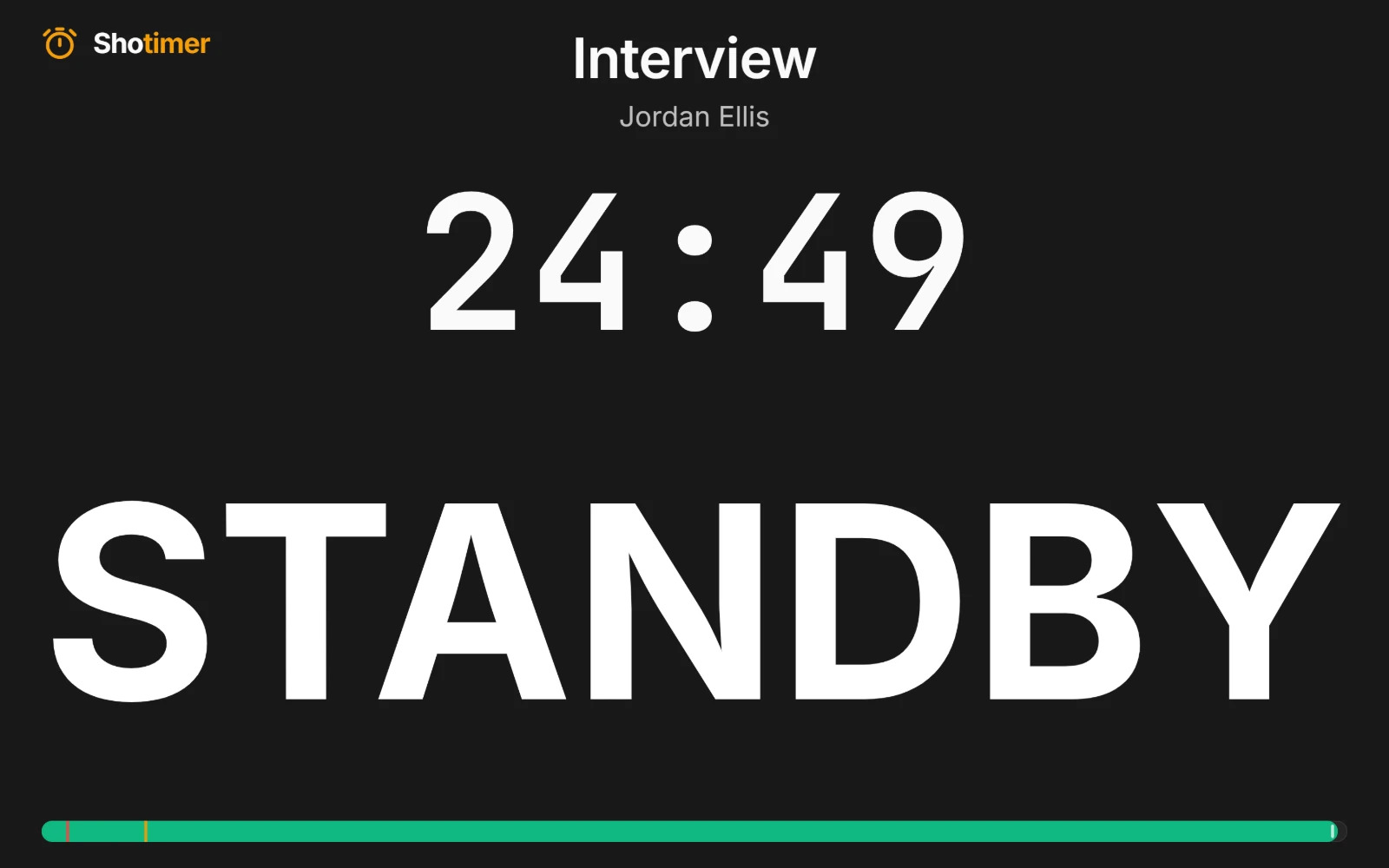
Cue the host silently
Send a cue to the host's screen from the control room. Nothing makes a sound in the studio: chimes only play on the Controller, and you can mute them.
- Ready-made cues: such as STANDBY and 5 MIN LEFT, or write your own.
- Colours and bold: make the important word stand out.
- Blackout: blank the studio screens in one press.
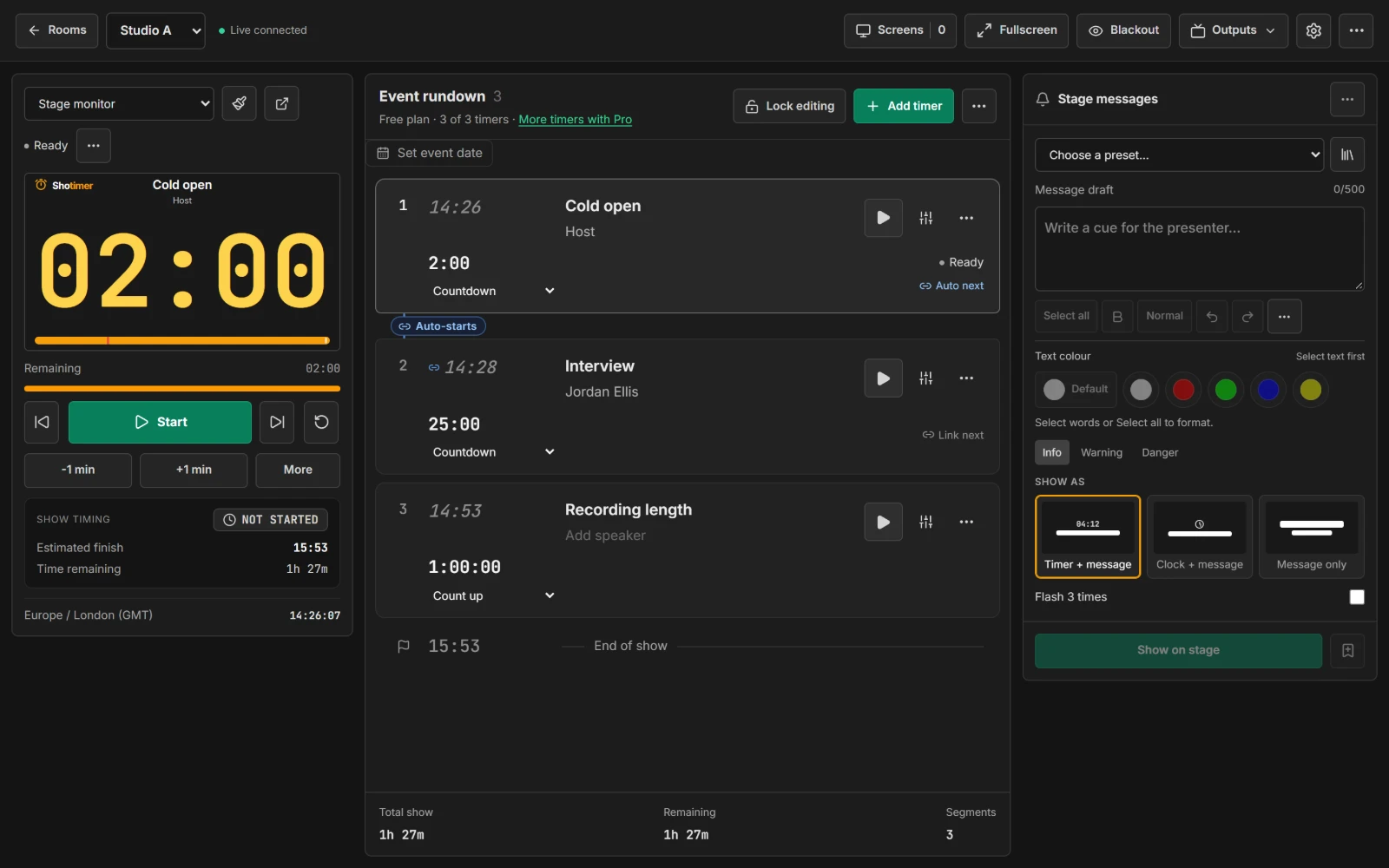
Fast enough for live work
Run the whole show from the keyboard, and trust it to keep going if the network blips.
- Keyboard shortcuts: Space, R, the arrow keys and B for blackout.
- Time of day: a timer can show the current time, for live programmes that run to the clock.
- Keeps counting: screens carry on from their last update if the connection drops.
Ready in three steps.
Set up your running order
Create a free account, open a room and give each timer a title, a speaker and a duration.
Put the timer on a screen
Open the stage screen in a new tab, or scan its QR code on a TV, tablet or phone. Nothing to install.
Press Start
Every screen counts down together. Add a minute, send a message or move to the next timer from your laptop or phone.
Frequently asked questions.
Learn more in the docs
More ways to use Shotimer
Try Shotimer at your next recording.
Create a free account and put a timer on your own screens in a few minutes.
Create a free account