A meeting timer that keeps the agenda on track
Give each agenda item its own time, show the countdown on the meeting room screen, and see at a glance whether the meeting will finish on time.
Free plan: 3 rooms, 3 timers and 3 screens per room. No card needed.
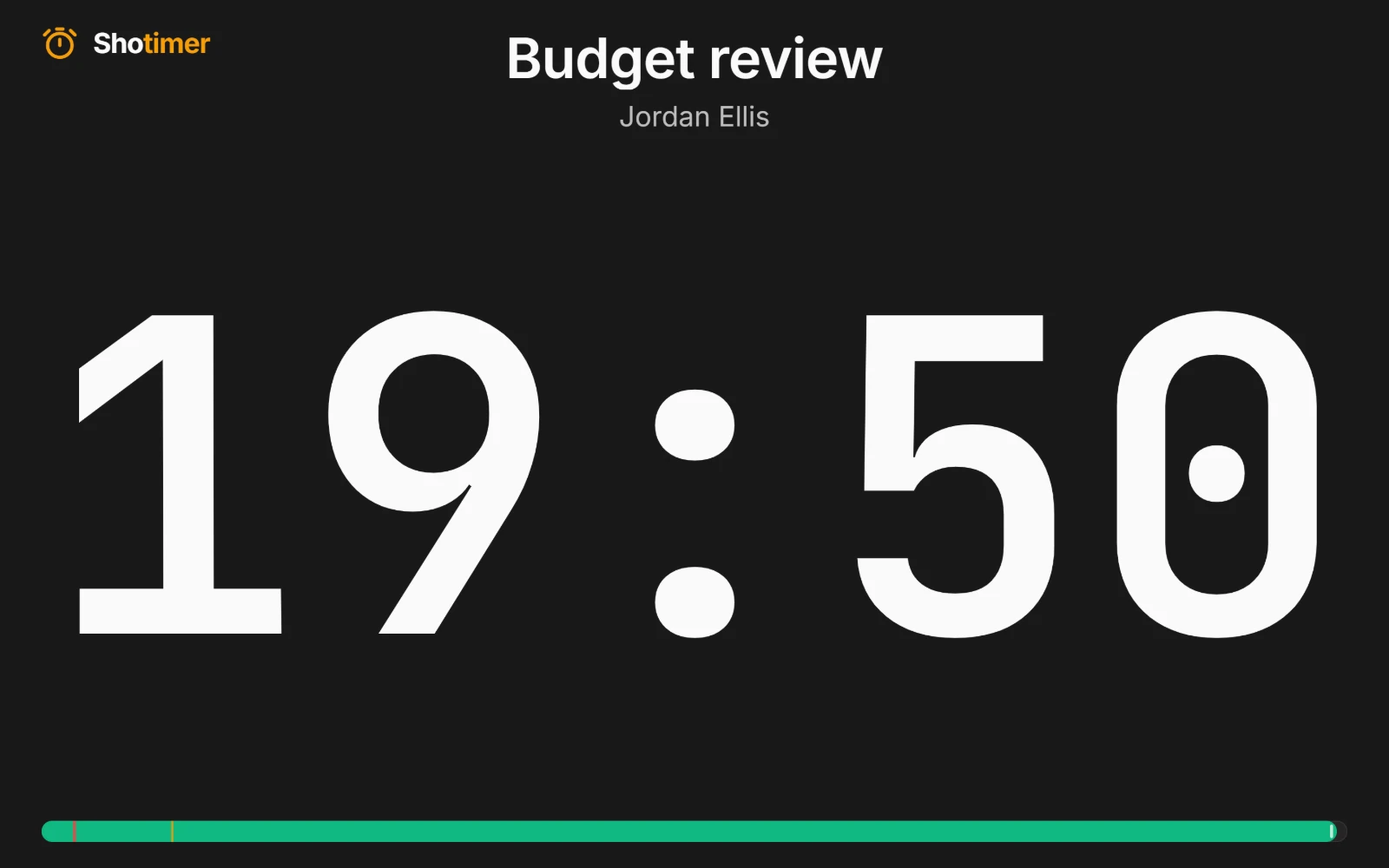
A countdown for every agenda item
Add each item on the agenda as a timer, with who is leading it and how long it should take. Everyone in the room can see the time left on the meeting room screen.
- Move on together: link items so the next one starts as soon as one ends.
- A gentle nudge: the digits turn yellow and then red as an item runs out of time.
- Add a minute: give a good discussion a little longer with one click.
Know when the meeting will really finish
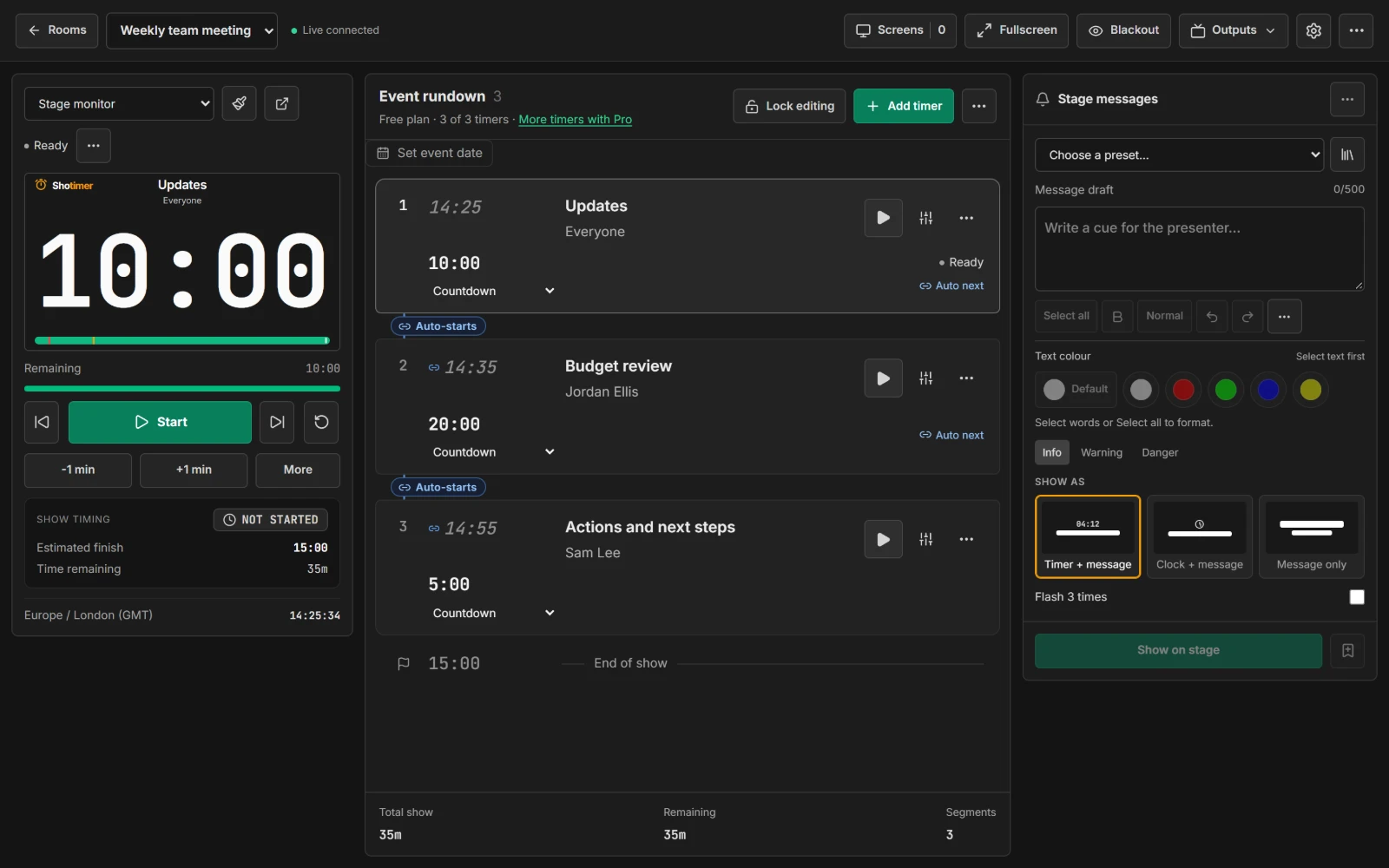
Shotimer keeps track of the whole meeting, not just the current item, so you can see straight away if you're going to overrun.
- Over or under: see how far ahead or behind the meeting is.
- Projected finish: the time the meeting will now end.
- Expected start times: every item shows when it should begin.
Works on the screen you already have
Open the timer on the meeting room TV, or the laptop connected to it, and press Fullscreen. Nothing needs installing.
- Agenda link: share a read-only agenda with expected times.
- Saved for next time: your rooms and timers are kept in your account for the next meeting.
- Free to start: 3 rooms, 3 timers and 3 screens per room.
Ready in three steps.
Set up your running order
Create a free account, open a room and give each timer a title, a speaker and a duration.
Put the timer on a screen
Open the stage screen in a new tab, or scan its QR code on a TV, tablet or phone. Nothing to install.
Press Start
Every screen counts down together. Add a minute, send a message or move to the next timer from your laptop or phone.
Frequently asked questions.
Learn more in the docs
More ways to use Shotimer
Try Shotimer at your next meeting.
Create a free account and put a timer on your own screens in a few minutes.
Create a free account