What is a call sheet? Free call sheet template
A call sheet tells everyone working on the day where to be, when, and who to call if something goes wrong. Download the free template, add your crew and send it out the day before.
Free plan: 3 rooms, 3 timers and 3 screens per room. No card needed.
What goes on a call sheet
Everything someone needs to turn up in the right place at the right time, on one page. The template has three parts:
- The essentials: event, date, venue address, parking and load-in, nearest hospital and the weather if it matters.
- The crew: each person's name, role, phone number, call time and where to report.
- The day in brief: crew call, checks, doors, show start and finish, and load-out. The detail stays in the run of show.
Tips for a call sheet people actually read
- Send it the day before, once times are confirmed, and say clearly which version it is.
- Lead with the call times. It's the first thing everyone looks for.
- Keep it to one page. Link to the run of show and cue sheet rather than copying them in.
- Ask before sharing phone numbers, and make sure everyone knows who to call if they're running late.
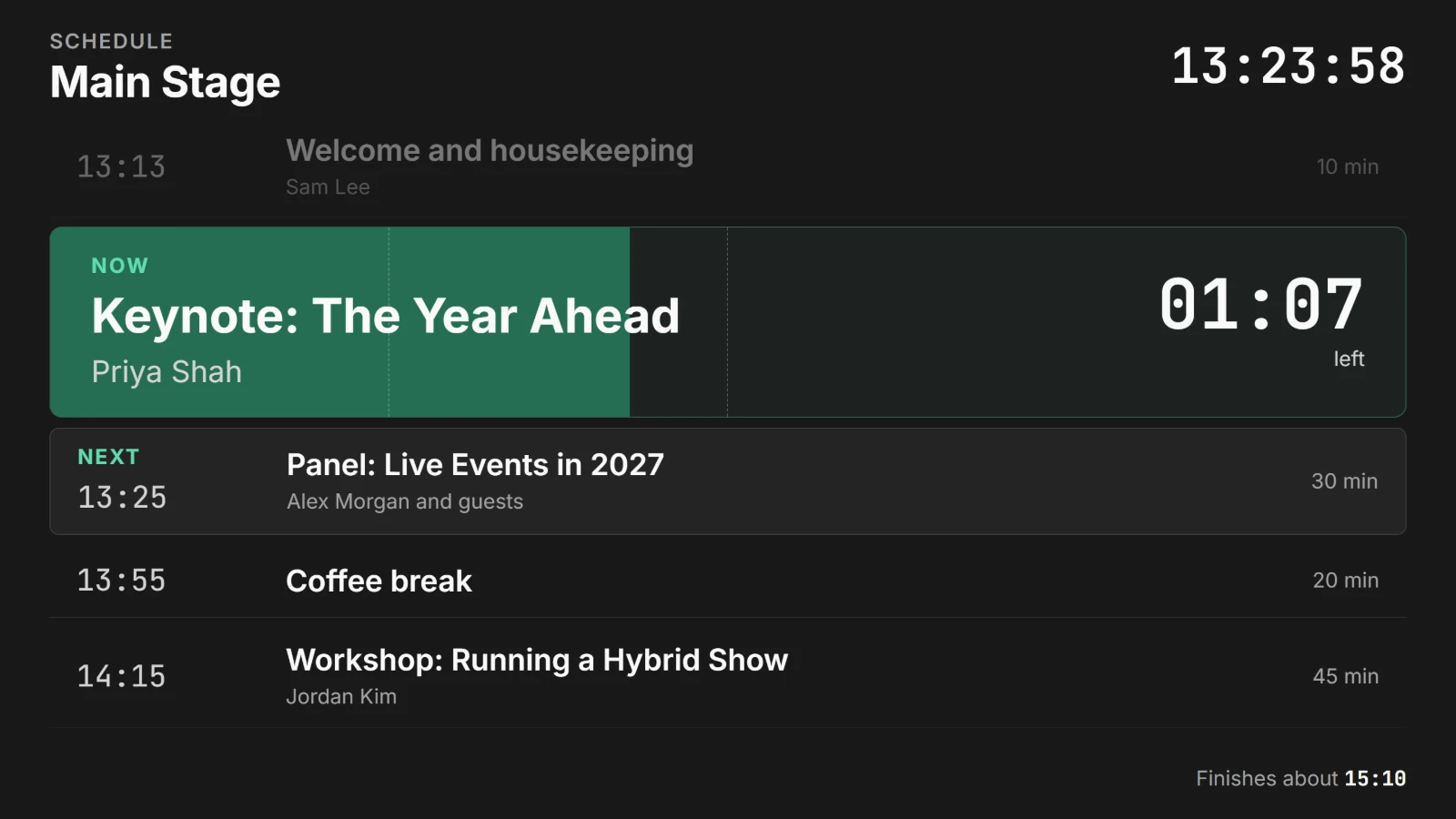
Keep the crew on time once the show starts
The call sheet gets everyone there. Once the show is running, Shotimer helps keep it on time.
- An Agenda link on crew phones shows what's on now, what's next and when, updating by itself as the show runs.
- Stage screens give each speaker their own countdown.
- Show timing tells the producer if the day is running over, before it becomes a problem.
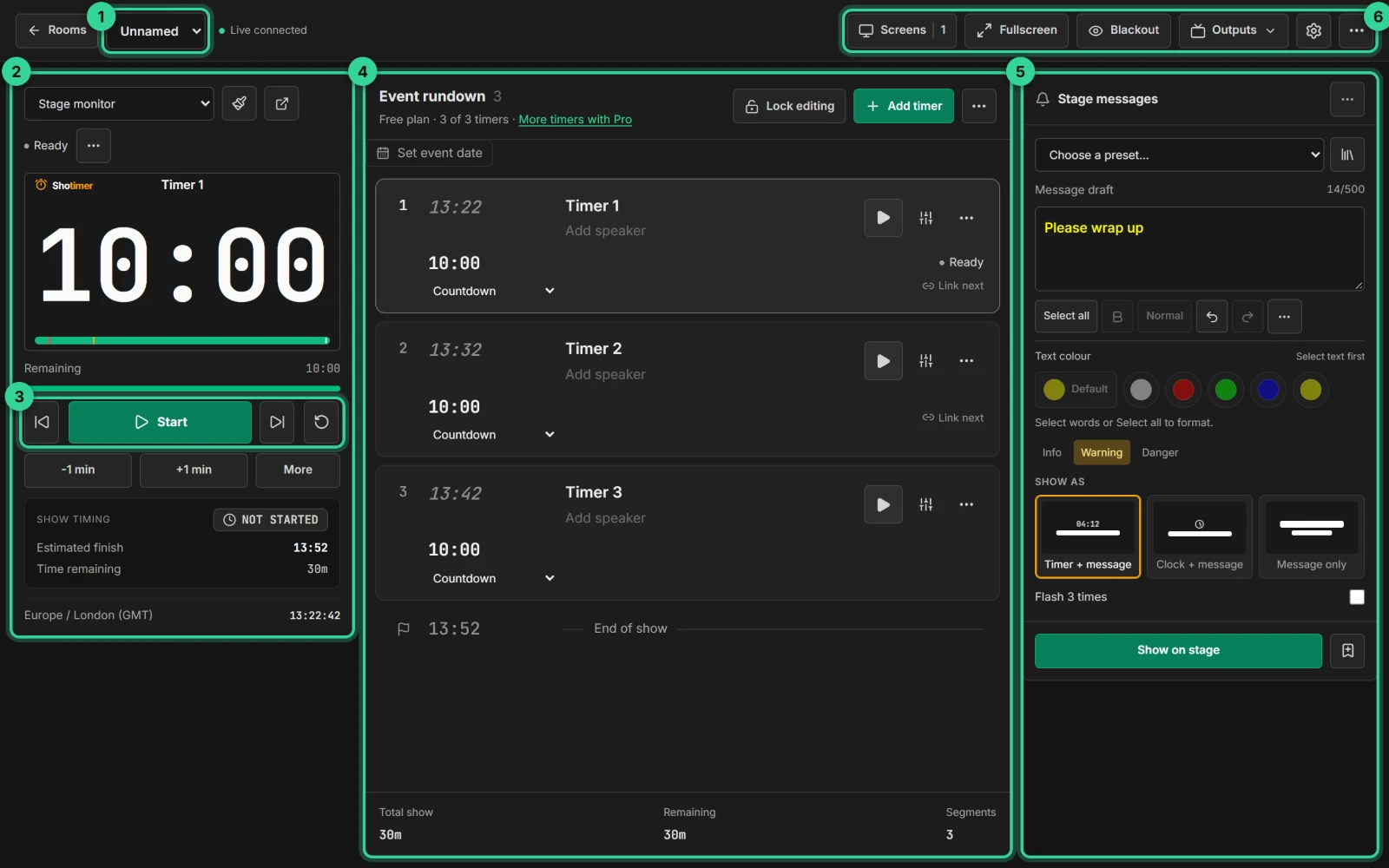
Ready in three steps.
Set up your running order
Create a free account, open a room and give each timer a title, a speaker and a duration.
Put the timer on a screen
Open the stage screen in a new tab, or scan its QR code on a TV, tablet or phone. Nothing to install.
Press Start
Every screen counts down together. Add a minute, send a message or move to the next timer from your laptop or phone.
Frequently asked questions.
Learn more in the docs
More guides
Try Shotimer at your next event.
Create a free account and put a timer on your own screens in a few minutes.
Create a free account