Free and Pro
What the Free plan includes, what Pro will add, what counts as a screen, and what happens when you reach a limit.
Shotimer has a Free plan, available now, and a Pro plan, which is coming soon. This page explains what each includes, what counts towards the limits, and what happens when you reach one.
The Free plan
The Free plan needs no card and has no time limit. It includes:
- 3 rooms, each with up to 3 timers.
- 3 connected screens per room.
- Countdown, count-up and time-of-day timers, Target Time timers, linked timers, scheduled starts, colour labels, warning colours and chimes.
- Show timing: over or under, a fixed end of show, gaps and overlaps, getting back on time, undoing changes made during the show, and planned against actual times.
- Room settings: the event date, time zone, time and countdown formats, overtime and tolerance.
- Stage messages, blackout, and the stage monitor, Agenda and Moderator views.
- Links and QR codes, keyboard shortcuts and using two devices.
- Choosing what the stage screen shows, backing up and restoring a rundown as a file, and printing the running order or saving it as a PDF.
Stage screens on the Free plan show the Shotimer logo in the top-left corner.
Shotimer Pro (coming soon)
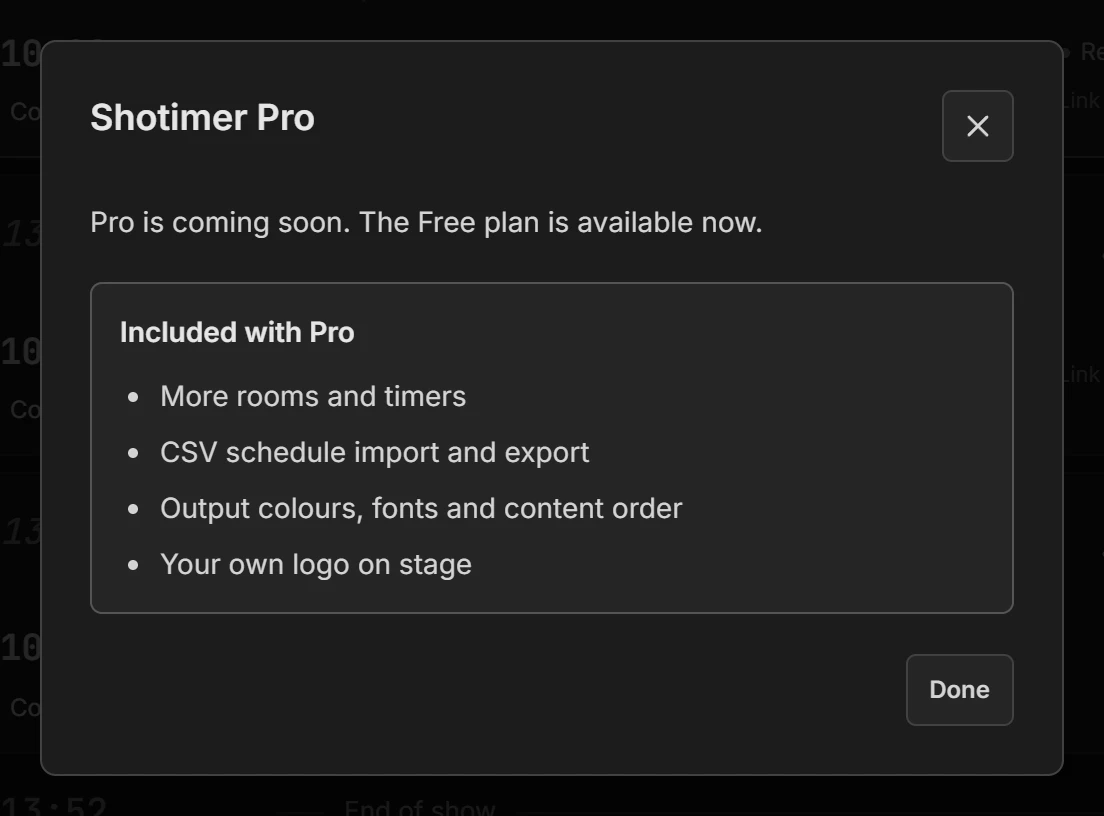
Pro will add:
- Up to 50 timers per room, and as many rooms as you need.
- 5 connected screens per room, with more available up to 25.
- Your own logo, or a sponsor’s, on the stage screen.
- Custom colours, including pure black, fonts, content order and custom text. See Customise your screens.
- A progress fill on the Agenda, showing at a glance how far through the current session is, in an accent colour of your choice. See Agenda and Moderator views.
- Timer labels on the Agenda, as small tags after each session’s title.
- Importing and exporting a running order as a spreadsheet (CSV).
- Control from a Stream Deck or Bitfocus Companion.
There will also be a 30-Day Pass: the same features for 30 days, for a single payment, which suits a one-off event. Prices are on the pricing page. Until Pro is available, everything on the Free plan keeps working as normal.
What counts as a screen
Every device that connects to a room with a link counts as one screen, whichever kind of link it uses: stage monitor, Agenda, Moderator or Controller. So on the Free plan, you could have two stage screens and one Agenda in a room, for example.
- Your own Controller doesn’t count, when you’re signed in to your account.
- A device counts once, even with the same screen open in several tabs.
- A screen that reconnects keeps its place, so a brief drop can’t lose it.
- Only devices connected right now count. A screen that has been turned off frees its place.
Press Screens at the top of the Controller to see what’s connected. See Screens and access.
When you reach a limit

- Timers: the rundown shows “3 of 3 timers”. To add another, change or delete one you don’t need.
- Rooms: the dashboard explains that adding more than 3 rooms needs Pro. Rename and reuse the rooms you have.
- Screens: a new screen says it’s waiting to connect, and connects by itself as soon as another screen disconnects. Screens already connected are never pushed off.
Limits are checked by Shotimer’s servers, not just in your browser, so they’re the same on every device.
If a Pro plan ends
Your rooms, timers and screens keep working, nothing is deleted, and the show is never interrupted. The screens go back to the standard look and the Shotimer logo, but your colours, fonts, custom text and logo are kept, and come back if you upgrade again.
If you have more rooms or timers than the Free plan allows, they all keep working, but you can’t add more until you’re back within the limits.